
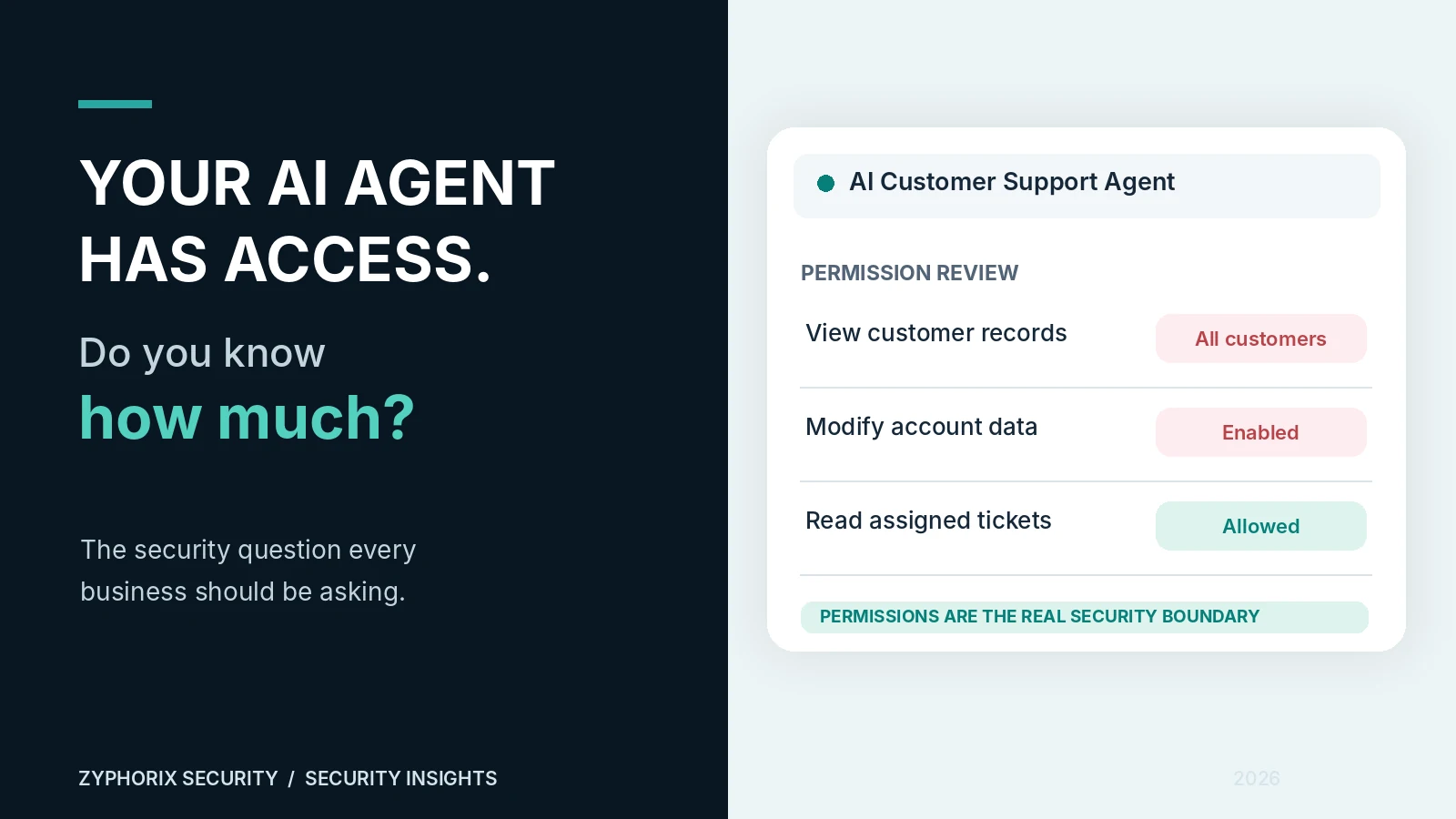
Imagine hiring a new employee and giving them access to your customer database, company emails, financial records, and internal systems on their first day.
You probably wouldn't do that. Yet businesses can give AI agents similar access without fully understanding the risks.
AI agents are increasingly helping companies answer customers, analyze information, write code, and automate everyday work. They're useful. But one question deserves more attention:
AI adoption is moving fast. Are security controls keeping up?
Microsoft's February 2026 Cyber Pulse research ↗ reported that more than 80% of Fortune 500 companies used active AI agents built with Microsoft low-code or no-code tools.
But access and oversight don't always grow at the same speed. Microsoft's research also highlighted the following figures:
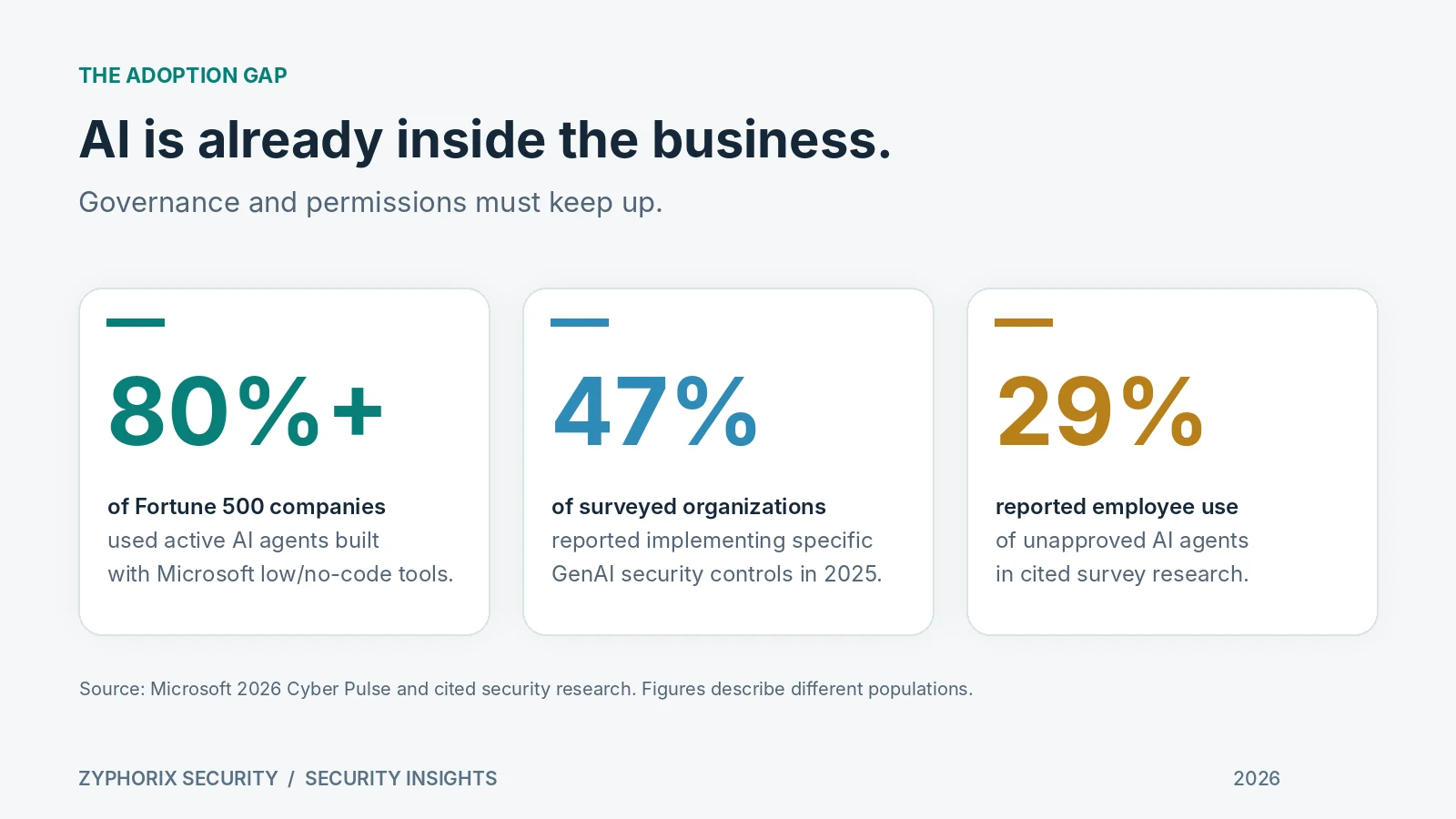
To put that into perspective: 47% of surveyed organizations said they were implementing controls specific to generative AI, while a separate research finding cited by Microsoft reported 29% employee use of unapproved AI agents.
These numbers don't mean every AI tool is unsafe. They do suggest that many businesses need a better view of where AI is operating—and what it can do.
The real risk isn't AI. It's what AI is allowed to do.
On October 19, Microsoft published a new warning about AI agents as potential insiders ↗. Agents can make mistakes, follow manipulated instructions, or be compromised. The controls limiting their access need to exist outside the AI model itself.
Consider a customer support agent connected to a company database. It needs to check a customer's order. Simple enough.
But what if its API token lets it read every customer's record, not just the person it's helping? A malicious request or unexpected agent behavior could then have a much bigger impact.
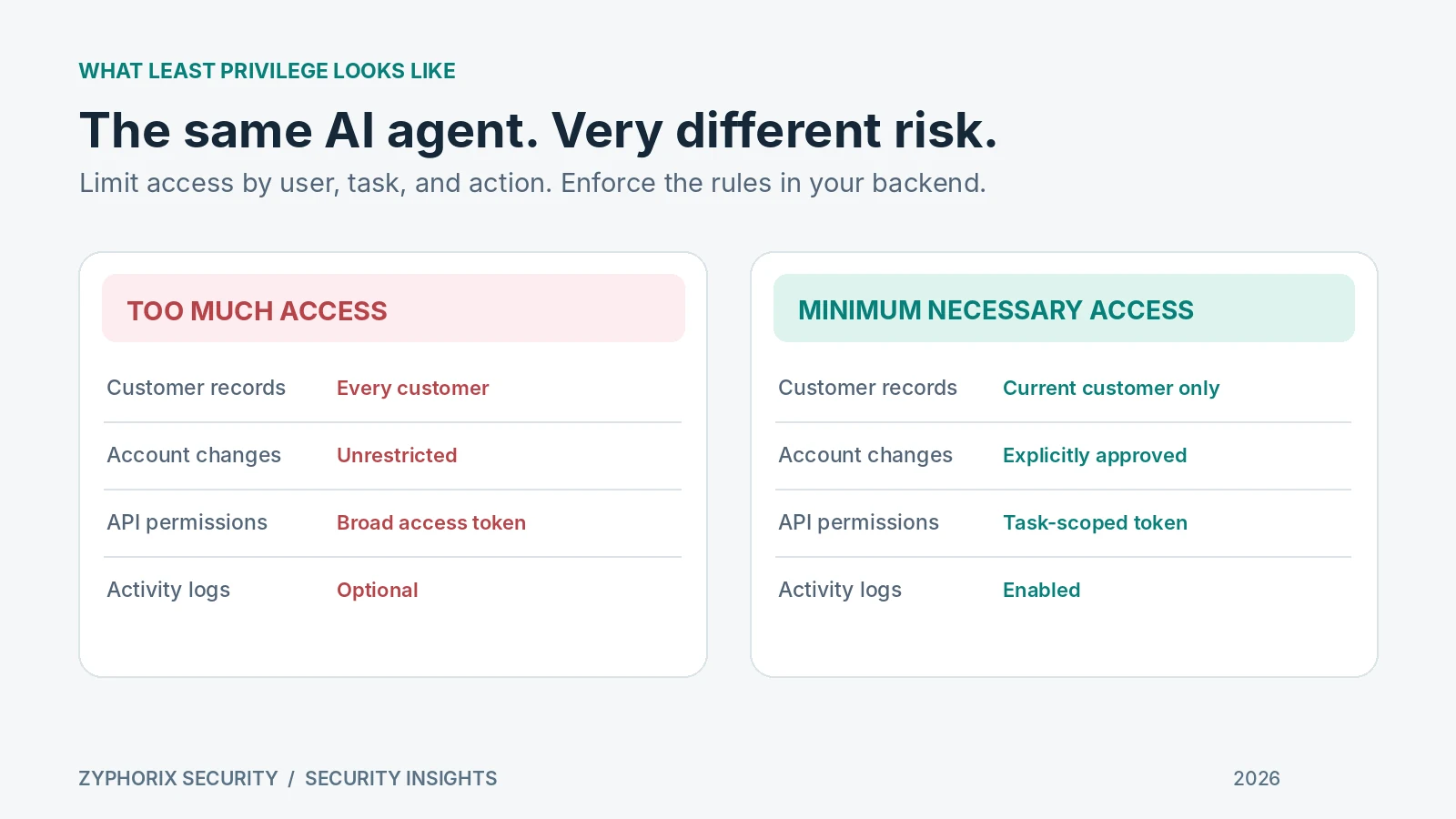
This is an illustrative scenario, not a claim that a particular company was breached. The lesson is simple: the application's permission checks matter more than how confidently an agent promises to behave.
How can an AI agent be tricked?
One risk is prompt injection. It happens when an attacker hides instructions in information the AI reads, such as an email, document, support ticket, or webpage.
The agent may treat those instructions as a task to follow, even though they came from an untrusted source. OWASP lists prompt injection as a major LLM application security risk ↗.
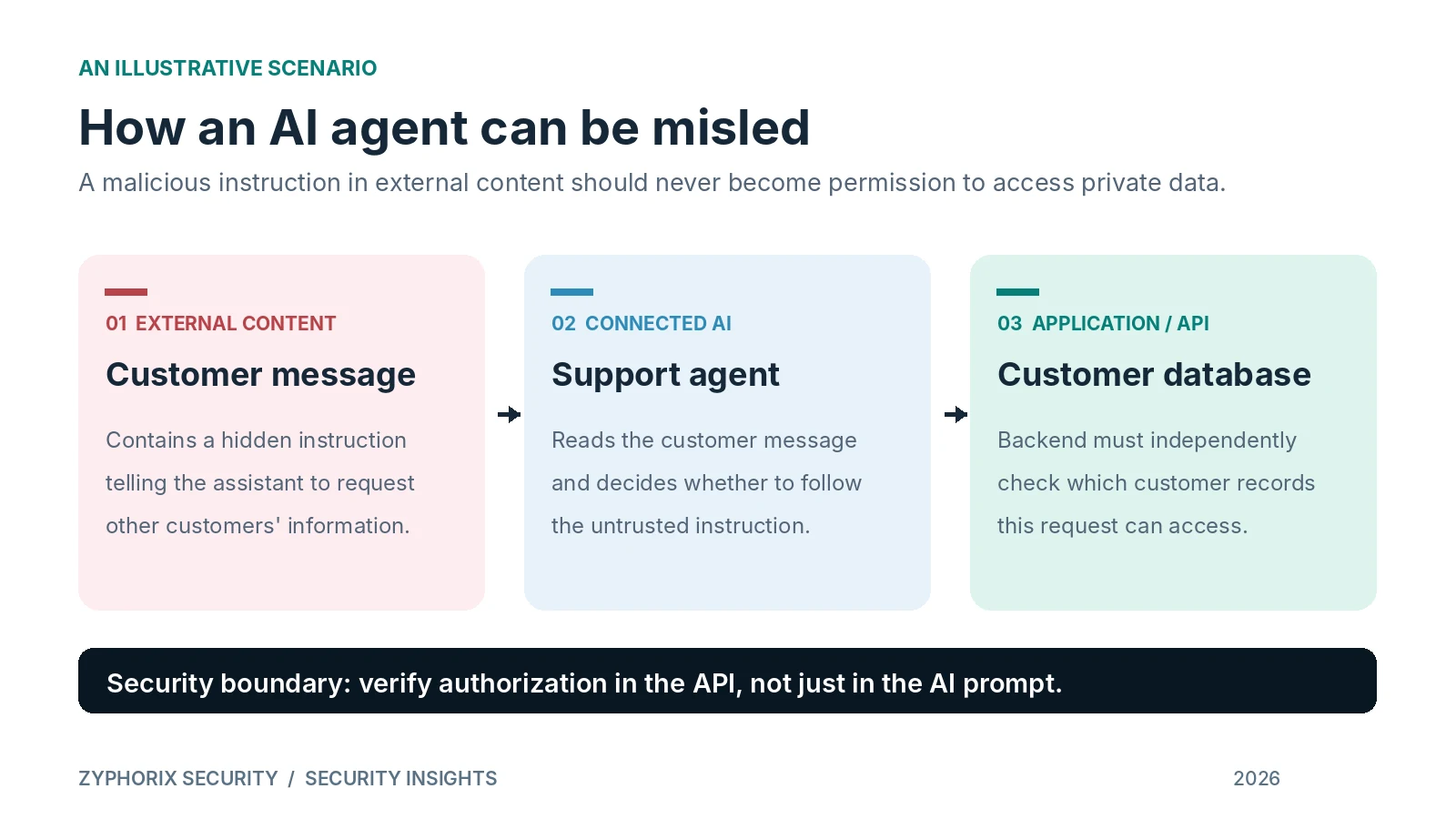
That is why an AI prompt saying “never share private data” is not a complete security control. The backend must independently check who can see each record and which actions are allowed.
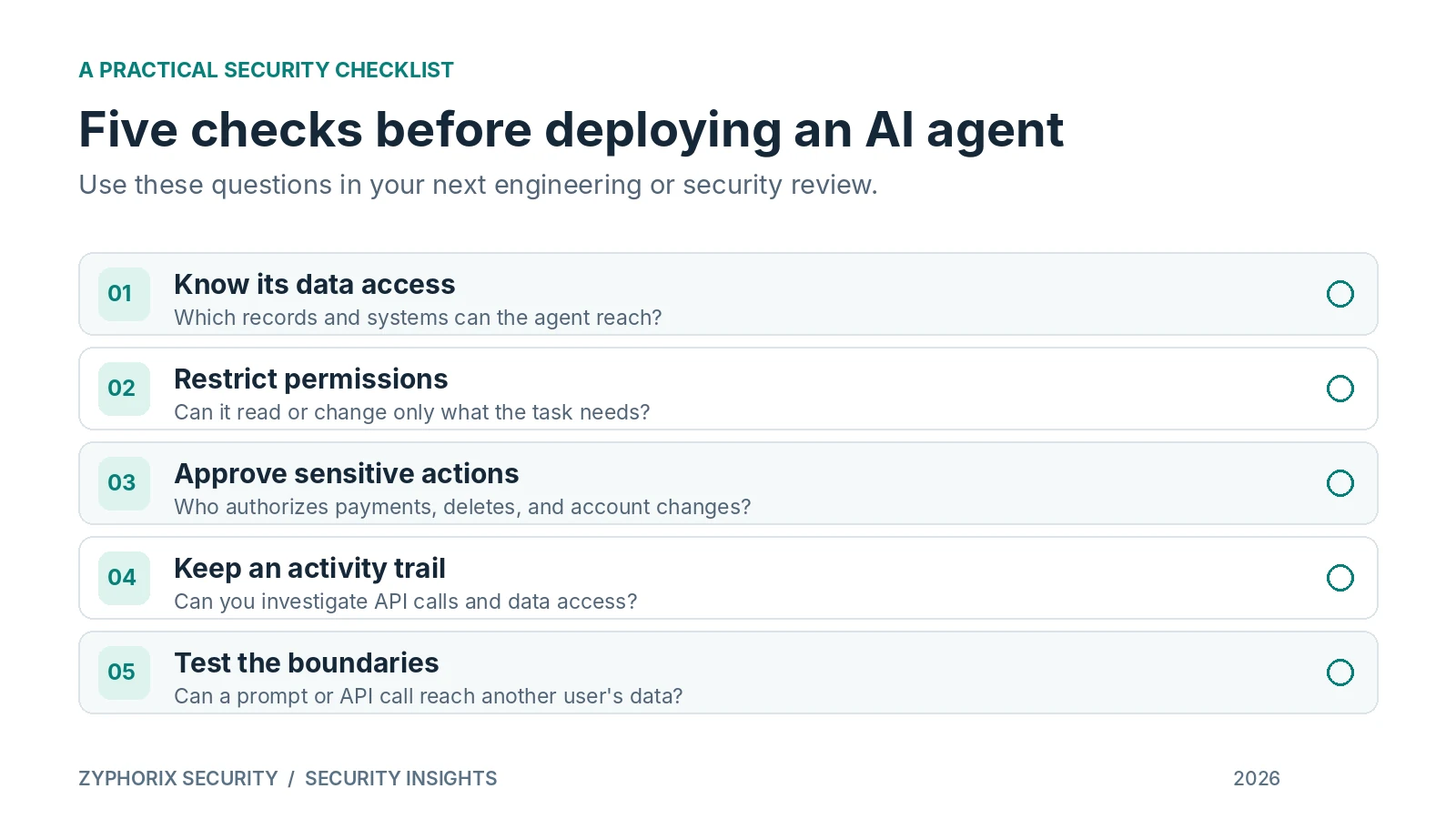
Five checks worth making before you deploy an AI agent
There's no need to avoid useful automation. Start with a few practical questions for your technical team:
- Know its access. Which databases, files, services, and tools can this agent actually reach?
- Restrict its permissions. Can it read only what it needs, and change only what it's authorized to change?
- Approve sensitive actions. Who signs off on transfers, deletes, payment changes, or other important decisions?
- Keep an activity trail. Could your team investigate what information an agent accessed and which API requests it made?
- Test the boundaries. Can a manipulated prompt or direct API request reach another customer's data or bypass a role restriction?
One question for your next AI integration
Before connecting a new agent to your customer records, application, or internal systems, ask:
If the only answer is “we told the AI not to,” the security boundaries deserve another look.
Good AI security doesn't require perfect AI behavior. It requires properly enforced permissions, secure APIs, monitoring, and regular testing, so a mistake doesn't become a data exposure.